







For the last few years, much of the AI we use has depended on the cloud. Whether it is generating text, creating images, summarizing documents or answering questions, the request is usually sent to a remote data center, processed there and then returned to the user.
That model is now beginning to change.
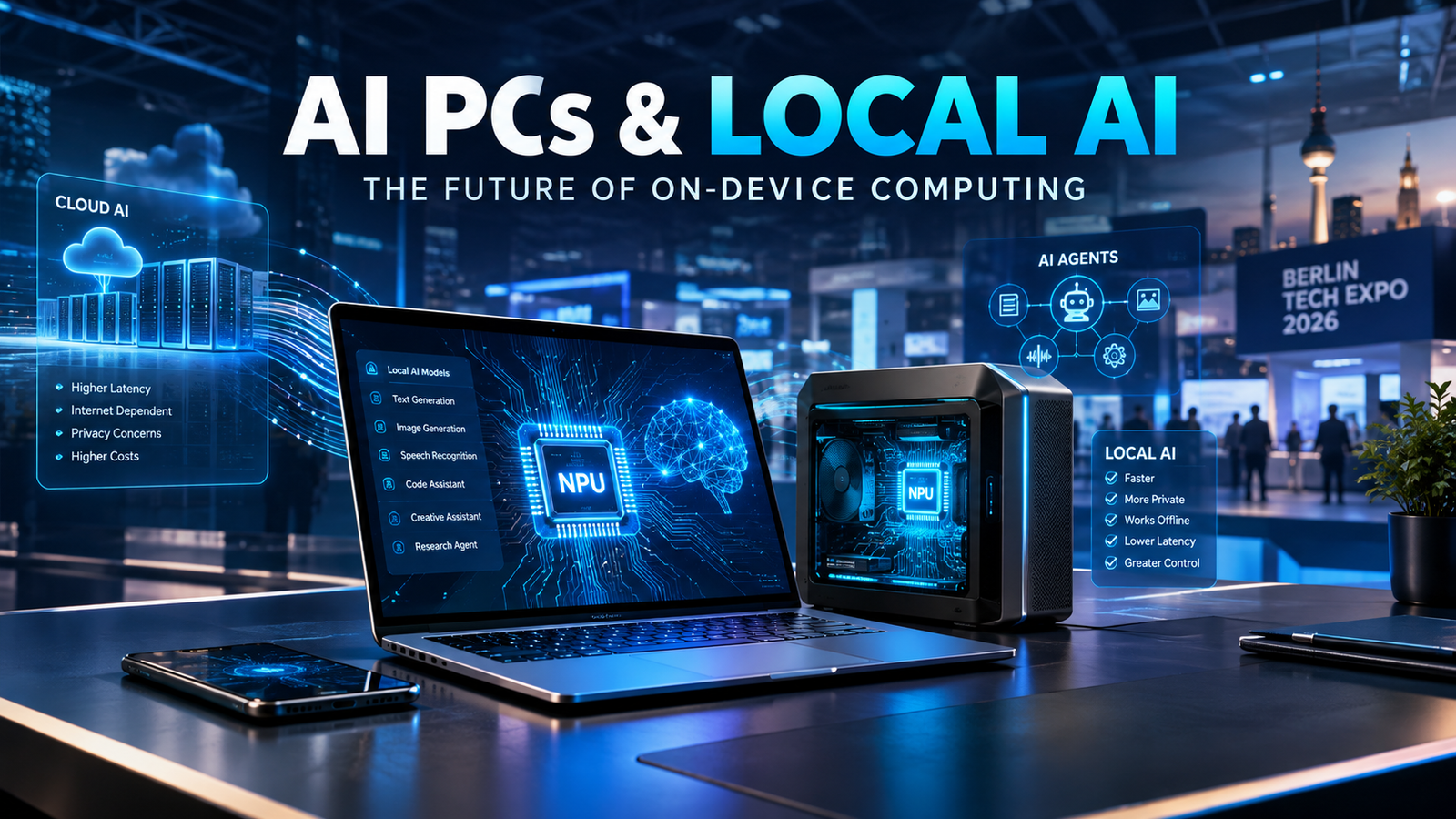
At IFA 2026 in Berlin, one of the most noticeable technology trends was the growing push toward AI PCs and local AI. Instead of sending every AI task to the cloud, newer computers are increasingly being designed to process at least some AI workloads directly on the device.
This does not mean cloud AI is disappearing. Instead, the industry appears to be moving toward a hybrid approach in which the PC decides what should happen locally and what requires cloud-scale computing.
What exactly is a Local AI PC?
A local AI PC is essentially a computer equipped with hardware designed to handle artificial intelligence workloads directly on the machine.
Modern AI PCs can include a dedicated NPU (Neural Processing Unit) along with the CPU and GPU. The NPU is designed specifically for certain AI calculations and can perform them more efficiently than relying only on a conventional processor.
This can allow features such as voice processing, image enhancement, background effects, AI-assisted productivity tools and other workloads to run locally.
For users, the important difference is simple: some AI operations can happen without sending the underlying data to a remote server.
Why is the industry interested in local AI?
There are several reasons.
1. Privacy
Privacy is one of the biggest arguments for on-device AI.
Imagine working with confidential documents, private photographs, business information or sensitive project files. Depending on the application, processing that information locally can reduce the need to transmit the underlying data to a cloud service.
That does not automatically make every local AI system completely private or secure. Software configuration, operating-system security and the specific AI application still matter.
However, local processing can give users and organizations more control over where their data is processed.
2. Lower latency
When an AI task is processed locally, the device does not necessarily need to send a request to a distant server and wait for a response.
For smaller workloads, this can make interactions feel faster.
The difference can become particularly useful for applications that need quick responses, such as real-time assistance, voice processing, image analysis and certain AI-powered creative tools.
3. AI when there is no internet connection
Cloud-based AI normally requires an internet connection.
Local models can continue working even when connectivity is limited or unavailable, provided the particular application and model support offline operation.
This could be useful for travellers, field workers, researchers, developers and professionals who cannot depend on a permanent internet connection.
4. More control over AI workloads
Local AI also gives developers another option.
Instead of sending every request to an external AI provider, developers can choose to run specific models on their own hardware.
This can be particularly interesting for businesses that want to experiment with private AI assistants, internal knowledge bases or specialized AI applications.
IFA 2026 showed how quickly this idea is developing
The trend became particularly visible at IFA 2026.
AMD’s opening keynote at the event focused on what it called the “Era of Personal AI”, highlighting a future in which computers become more proactive and work alongside users rather than simply waiting for traditional commands.
Microsoft also highlighted new Windows PCs designed around AI workloads. Its post-IFA overview said newer systems are increasingly targeting developers, creators and AI power users, while local AI model execution is becoming easier on supported hardware.
NVIDIA announced additional tools aimed at making local AI easier to use. The company said its IFA initiatives include simpler local AI support, inference optimizations offering up to 1.9x faster performance in certain workloads, and NVIDIA PAIR, which can distribute AI inference across compatible PCs on a local network.
That last development is particularly interesting because it points beyond the idea of one powerful computer.
In the future, several computers in a home, office or studio could potentially work together to handle AI workloads.
Small computers are becoming surprisingly powerful
One of the most interesting developments at IFA 2026 was the amount of AI computing being placed inside relatively compact machines.
Minisforum introduced local-AI-focused systems using AMD’s Ryzen AI Max+ Pro 495 processor. Its systems can be configured with up to 192GB of unified memory, with the company positioning them for AI models, development and other demanding workloads.
ACEMAGIC also showcased a compact AI workstation configuration with up to 192GB of unified memory, aimed at running large AI models and demanding professional workloads locally.
These machines show an important direction in the PC market: local AI does not necessarily require a traditional large workstation.
Running huge AI models locally
Perhaps the most striking example came from GMKtec.
At IFA 2026, the company unveiled the EVO-X5 Pro, a compact desktop system based on AMD’s Ryzen AI Max+ PRO 495 processor.
GMKtec says the system can run a 300-billion-parameter large language model entirely offline when configured with up to 192GB of unified memory. The company is positioning it for developers, businesses, researchers and professional users who want large AI workloads to run locally.
That is very different from the traditional image of AI requiring a large cloud data center.
Of course, running a very large model locally does not mean every computer will suddenly be capable of doing the same thing. Hardware requirements, model compression, memory capacity, software optimization and workload complexity all remain important.
But the direction is significant.
AI agents are another major part of the story
Local AI is also connected to the rise of AI agents.
A chatbot generally waits for a question and produces an answer.
An AI agent can be designed to perform a sequence of tasks, interact with software and work toward a specific objective.
For example, an agent running on a computer could potentially help organize files, analyse documents, write code, automate repetitive tasks or interact with applications.
This makes local computing power increasingly important.
If an AI agent is constantly sending requests to a cloud service, costs, latency, privacy and connectivity can become important considerations.
Running at least some of those operations locally could give users more control.
What is the role of the NPU?
The NPU is becoming one of the most important pieces of AI-PC hardware.
A CPU is designed for general computing.
A GPU is extremely useful for parallel workloads and graphics, and it can also accelerate many AI workloads.
An NPU is specifically designed to efficiently handle certain neural-network operations.
This can allow AI features to run with less impact on battery life and general system performance in supported workloads.
However, an NPU does not magically make a computer capable of running every AI model.
The actual experience depends on the processor, memory, GPU, software framework, model size and optimization.
That is why looking only at an “AI PC” label is not enough when comparing computers.
AI PC does not automatically mean better AI
This is an important point for buyers.
Manufacturers are increasingly using AI-related branding in their products, but consumers should look beyond the label.
Before purchasing an AI PC, it is worth checking:
What NPU does it use?
How much AI performance does the system provide?
How much RAM or unified memory is available?
Which AI applications actually support local processing?
Can the desired AI models run locally?
Does the computer still require cloud services for important features?
How much storage is available for local models?
Can the hardware be upgraded?
What happens to battery life during sustained AI workloads?
The answers can be very different between two computers that are both marketed as AI PCs.
Local AI vs Cloud AI
The future is probably not going to be a simple battle between local AI and cloud AI.
Both have advantages.
Local AI can provide privacy benefits, lower latency for supported workloads, offline capability and more direct control over data.
Cloud AI can provide access to extremely large models, massive computing resources and services that would be impractical to run on an ordinary personal computer.
For many users, the most practical solution will therefore be a combination of both.
A computer might process a small task locally, while sending a much larger or more complex request to the cloud.
What this could mean for ordinary users
The biggest change may not be immediately visible.
Users may simply notice that their computers are becoming more capable of understanding voice commands, summarizing information, improving images, assisting with documents and automating repetitive tasks.
The AI may increasingly become part of the operating system rather than something users open in a separate browser tab.
That could eventually change how people interact with computers.
Instead of searching through menus for a particular function, a user may simply describe the desired outcome and allow an AI assistant to coordinate several actions.
What this means for businesses
Businesses could have even more reason to pay attention to local AI.
A company dealing with confidential documents, customer information, internal records or proprietary data may want greater control over AI processing.
Local AI can potentially support private document analysis, internal knowledge systems, coding assistance, workflow automation and other applications.
There can also be cost considerations.
If a company performs large numbers of repetitive AI operations, running some workloads locally may reduce dependence on per-request cloud processing.
However, businesses still need to consider hardware costs, maintenance, security, model updates and technical expertise before moving workloads from the cloud to local systems.
The next phase of personal computing
IFA 2026 suggests that the AI PC is moving beyond simple marketing language.
The industry is increasingly experimenting with computers that can run meaningful AI workloads locally, support AI agents and combine local processing with cloud services.
NVIDIA, AMD, Microsoft and PC manufacturers are all pushing different parts of this ecosystem.
The result could be a new type of personal computer—one that does not simply execute software but increasingly understands the user’s context and assists with tasks.
The important question is no longer only “Does this computer have AI?”
The better question may be:
“What can this computer actually do with AI without sending everything to the cloud?”
That distinction could become increasingly important as AI becomes a normal part of everyday computing.
Final Thoughts
The move toward local AI does not mean the cloud is going away.
Instead, personal computing appears to be heading toward a more distributed model.
Some AI will live in the cloud.
Some will run on the phone.
Some will run inside the laptop or desktop.
And eventually, multiple devices may work together as a personal AI system.
IFA 2026 provided a strong look at that direction. From compact AI workstations to new AI laptops and software designed for local agents, the industry is clearly investing in the idea that AI should not always live somewhere far away in a data center.
For consumers, the real benefit will be measured not by the words printed on the box, but by whether these technologies make computers more useful, private, responsive and practical in everyday life.